


製品サポート
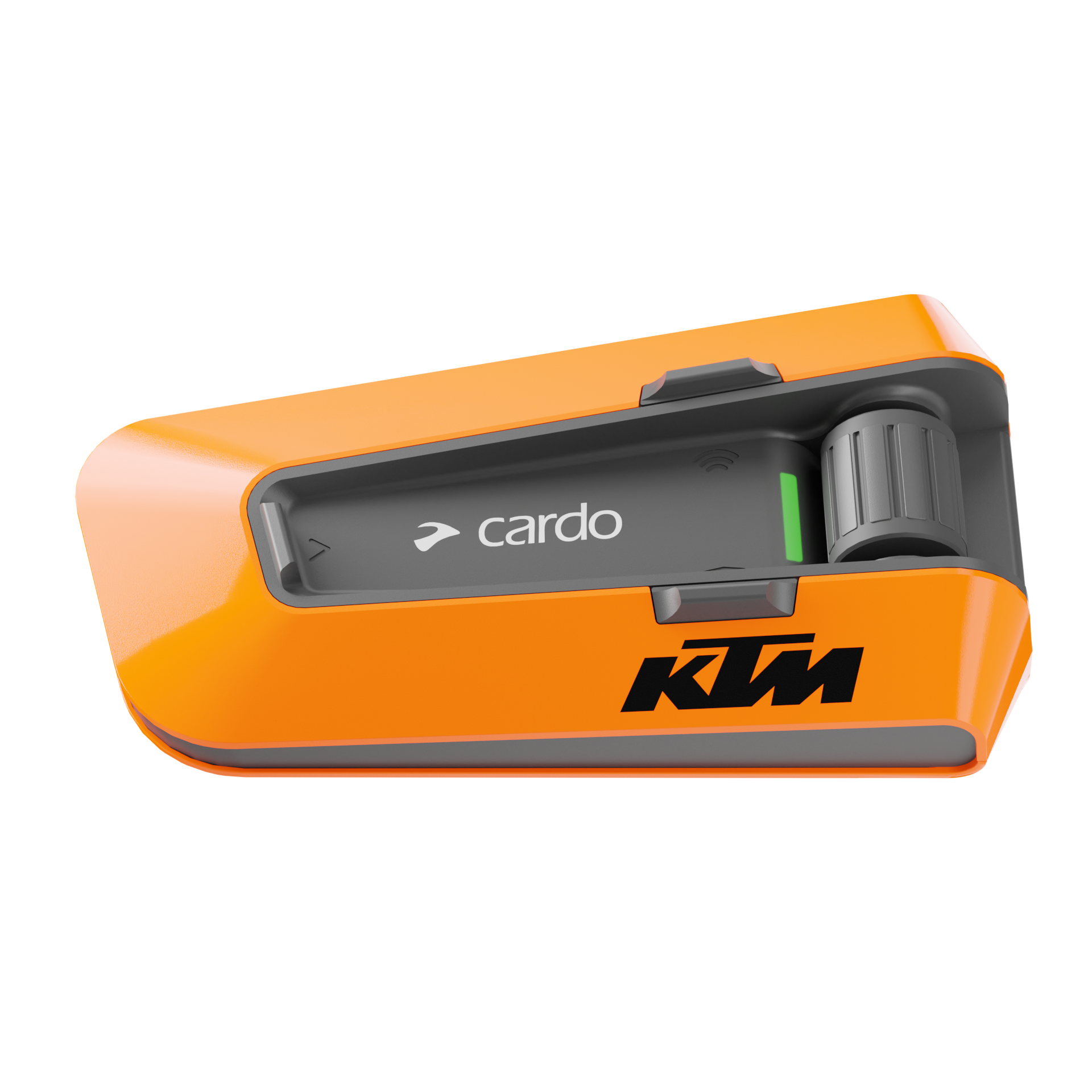
PACKTALK EDGE KTM
Mesh Boostについてご質問がありますか?こちらをクリックしてください。
DMC Gen2とGen1の違いは何ですか?
DMC Gen2は大幅な改良をもたらします。ペアリングプロセスが簡素化され、非常に高速になり、クリアなワイドバンドインカム音声を実現します。
- より簡単で高速なペアリング:ペアリングは非常に迅速で、10人の通信グループでも数秒で接続できます。また、グループ管理者機能を排除することでプロセス自体も簡素化しました。DMC Gen2では、これまでにないほど簡単かつ迅速なペアリングが可能です。
- ワイドバンドインカム:DMC Gen2は、非常にクリアなワイドバンド音声を提供します。高品質なビデオ会議と同等の音質を期待できます。
PACKTALK BOLDとPACKTALK EDGEの違いは何ですか?
PACKTALK EDGEには、以下を含むいくつかの主要な改良点があります:
- Air Mount:革新的で、シンプルかつ安全なマグネット式マウント。
- DMC第2世代:超高速ペアリングとクリアなワイドバンドインカム音声。
- JBLによる完全に再設計されたサウンドシステム。
- ノイズフィルター付きの改良されたマイクによる自然な音声操作。PACKTALK EDGEはBluetooth 5.2に対応しており、さらに以下の機能も備えています:
- 急速充電:20分の充電で2時間の通話が可能。
- 頑丈なUSB Type-Cポート。
- Cardo Connectアプリを通じたワイヤレスソフトウェアアップデート。
PACKTALK EDGEは他の世代のCardoユニット(Packtalk、Freecom、G、Q)と接続できますか?
PACKTALK EDGEはすべてのDMC製品と完全に互換性があります。また、通常のBluetoothペアリングを使用してすべてのCardoユニットと接続できます。GおよびQユニットはペアリング開始前に電話ペアリングモードにする必要があります。
雨の中でも使用できますか?
もちろん可能です。すべてのCardoユニットは防水仕様です。つまり、雨の中でも走行しながら高品質な通信を楽しめます。
Bluetooth 5.2の利点は何ですか?
お使いのユニットには、市場で最も先進的なBluetooth 5.2チップが搭載されています。最新のオーディオ技術との統合を可能にし、インカムの音質を大幅に向上させます。Bluetooth 5.2は、より効率的で安全性も高く、より高速なペアリングと長時間のバッテリー寿命を提供します。
USB-Cの利点は何ですか?
USB-Cはより頑丈で、簡単に接続でき、標準のUSB-Cケーブルで使用可能です。また、急速充電にも対応しており、20分の充電で2時間の通話が可能です。
Cardoの保証内容は?
Cardoは、PACKTALK EDGEに対して購入日から開始される3年間の延長保証を提供しています。この保証は、保証書に記載された製品の不具合を対象としています。保証請求の際には、購入証明書をご提示ください。
ユニットのアップデート方法は?
ケーブルは不要です。ソフトウェアのアップデートはスマートフォンを使って無線で行えます。モバイル端末にCardo Connectアプリをダウンロードし、設定に移動、ユニットを選択して、利用可能な最新アップデートをクリックします。もちろん、パソコンにUSBケーブルで接続してアップデートすることも可能です。CardoのWebサイトからCardo Updateアプリをダウンロードし、ユニットを接続して指示に従ってください。常に最新のソフトウェアでユニットを更新することで、不具合を防ぎ、新しい機能も利用できます。初回使用前のアップデートを推奨します。
PACKTALK EDGE使用中にモバイル通信は必要ですか?
モバイル通信の接続は必要ありません。常時接続のインカムで、いつでも仲間とつながれます。
PACKTALK EDGEの取り付けは簡単ですか?
従来の内蔵型無線システムとは異なり、PACKTALK EDGEはどのヘルメットにも自宅や販売店で簡単に取り付け可能です。取り付け方法のビデオを見れば、その簡単さがわかります。
他のPACKTALK EDGEユーザーと音楽を共有できますか?
はい、走行中にお気に入りの音楽を別のユニットと簡単に共有できます。
PACKTALK NEOでPACKTALK EDGEやPACKTALK BOLDのアクセサリは使えますか?
PACKTALK NEOは独自のクリック式クレードルを使用しており、他のCardo製品とは互換性がありません。ただし、マイクやスピーカーなどの非クレードル型アクセサリは、PACKTALK NEOと完全に互換性があります。
PACKTALK NEOとPACKTALK EDGEの違いは?
PACKTALK NEOとPACKTALK EDGEは、同レベルの技術と機能を提供します。主な違いはマウント方式にあります。PACKTALK EDGEはマグネット式のAir Mountを採用しており、PACKTALK NEOはクリック式マウントです。また、走行中の充電はPACKTALK EDGEのみ可能です。さらに、PACKTALK NEOの保証期間は2年ですが、PACKTALK EDGEは3年間の延長保証が付いています。
Release notes 5.4
We have upgraded your Dynamic Mesh systems with three new enhancements!
- Love to ride in very large groups? Now you can, big time! We’ve extended DMC group size to 31 riders.
- Hate to set up groups? We got you covered. Public Mesh makes it easier and simpler to talk spontaneously with any nearby Cardo within DMC range. Just open Cardo Connect and choose Public Mesh in your intercom screen.
- We understand that not all riders start at the same place when heading for a ride. New Remote Grouping feature allows you to set up a group from your comfy armchair. Cardo Connect App will share your group invites once you've completed the setup. Once in range, your devices will automatically connect. It's that simple.
To accommodate these enhancements we’ve redesigned the intercom screen on your Cardo Connect App. Don’t worry though, it is still intuitive and easy to work with, just a little better now.
Finally, we've also enabled voice commands in DMC:
”Hey Cardo, call intercom” to join
”Hey Cardo, end intercom” to exit.
Important! This update will delete all current existing DMC groups from your device. You will need to re-create your groups after updating your device.
Mesh Boost groups can include legacy DMC units (Packtalk Bold/Slim/Black) with some limitations. Please visit our support page for more details before including legacy units in your group.
Previous release notes
Release notes 4.9
Bug fixes and performance improvements.
Release notes 4.7
These are the bug fixes you've been waiting for!
- We tweaked the settings to show mic sensitivity, so you can adjust it to your preference!
- We also made sure that you sound loud and clear on all your calls.
- Also, voice commands are now available to our Korean users.
Release notes 4.6
These are the bug fixes you've been waiting for!
- We tweaked the settings to show mic sensitivity, so you can adjust it to your preference!
- We also made sure that you sound loud and clear on all your calls.
- Even your FM radio sounds better when connecting your FREECOM with PACKTALK BOLD after a few tweaks and fixes.
- Also, voice commands are now available to our Korean users.
Release notes 3.8
- We’ve upgraded for better connectivity with other major brands.
Release notes 3.6
- Bug fixes
Release notes 3.4
The update you’ve all been waiting for. Cardo Dynamic Mesh (DMC) and Sena Mesh 2.0 intercoms can now cross-communicate reliably!
- Just use a Bluetooth bridge between a single Cardo DMC and a Sena Mesh* unit, and you are good to go! The Bluetooth connection will automatically recover in case of disconnection keeping the combined group together * Not including Sena Spyder and other mesh-only units by Sena.
- Also, the intercom experience on the Sena side has been improved, allowing for a more reliable audio multi-tasking experience (yes, we take care of our competitor’s units as well).
- We have improved our fast charging, making it even more robust and reliable.
- As always, we took care of removing some bugs from your windshield, so your ride is pitch-perfect and clear.
Release notes 3.2
Love Bluetooth brands that don’t talk to each other? Neither do we! That’s why the following release is one we are extremely proud of. On top of your current OBi connectivity, your device can now also seamlessly communicate with the latest generation Senas, directly via the standard Bluetooth intercom.
- Forget the hassle of using Bluetooth devices of different brands. The experience will be as seamless as connecting and communicating between two devices of the same brand and won’t require universal pairing on either side. Just pair, connect, and go.
- Eat the cake and keep it whole! No more sacrificing the mobile connection channels, you will keep the ability to receive phone calls, and navigation instructions and listen to music or FM on either side (parallel audio is based on the support of specific models).
- Please note that, just as music sharing is not supported between two different generations of Cardo products, it won’t be possible to share music between different brands.
Click here to watch the tutorial.
Release notes 3.1
Enjoy unnecessary wind noise? Neither are we! This release corrects a bug that resulted in more apparent wind noise breaking through the microphone.
- Critical bug fix for smartphones running Android 13 (Tiramisu)
- If your Android 13 smartphone has issues connecting your Cardo Communicator with the Cardo Connect mobile app, this release is for you! The 3.1 release fixes these connection issues, but in order to download it to your phone, you’ll need to choose one of the following two methods to update your unit.
Method 1 - via a non-Android 13 phone
- Pair your unit to an iPhone or a non-Android 13 phone
- Download and install Cardo Connect mobile app
- Activate the app and follow the on-screen instructions
Method 2 – via a laptop/desktop connection
- Connect a USB Type-C cable (such as the one that was supplied in the box) to a desktop or a laptop running Windows or macOS
- Click here and follow the instructions
Release notes 3.0
The notes below refer to users of Packtalk Edge and Neo.
- Your unit now supports Open Bluetooth Intercom (OBi) - a new cross-industry standard allowing supported units from Cardo, Midland, and UClear to communicate seamlessly with one another. OBi will be activated automatically when paired to a supported device. No further toggling is needed.
- For non-OBi units, your Packtalk can now integrate with any other Bluetooth brand more seamlessly. All you need to do is to pair your unit in Bluetooth mode like you would do to any other Cardo Unit. The other branded unit will pair through its own “universal pairing” channel. No more choosing between pairing to a non-Cardo unit or keeping your phone connection.
- Riding against the wind? Aren’t we all? Your DMC intercom will now perform more robustly in large groups.
- Love leaving voice messages on your messaging app? WeChat, WhatsApp & Skype voice messages will now stream into your device more fluidly.
- For our Spanish-speaking audience we say, “Hola Amigos!” We have resolved the issue of the system performing an unwanted “Redial Number” during an intercom chat.
- Two-way radio users (Professionals and first intervention units) the new software version will now allow integrating two-way radio input into an active mobile call. Function needs to be activated via the Cardo Connect app setting screen.
- As always, we added a host of bug fixes. Essentially it’s like adjusting your chain but without the injured fingers and messy grease stains.
Release notes 2.7
- Join the Party!
Packtalk Edge users can join existing 1st gen DMC groups of Packtalk Bold/Black/Slim. The existing system admin adds Packtalk Edge users like any other 1st gen Packtalk. - Left your smartphone on mute? No problem!
A muted smartphone will still ring in your helmet when a call is coming. - Orange bleeders, your supported KTM TFT now correctly transfers “OK Google” commands. It now also works better with Siri.
- Share the vibe AND the intercom.
When sharing music over DMC bridge, both parties can now continue to chat via the DMC intercom in parallel. - Love your GPS? We have improved the robustness, reliability, and consistency of GPS vocal instructions transfer through your headset.
- Automatic Volume Control now works more smoothly and seamlessly.
Just remember to enable the Automatic Volume Control feature through your app settings (off by default). - Improved stability and bug fixes – it’s like your motorcycle went through a good oil change and tune-up but without the mess and grease stains.
Release notes 2.6
- Natural Voice Operation performance has been improved to help you with hands-free riding.
- We improved music and intercom audio mixing - like a recalibration of your brakes but with better sound!
- Your audio experience has been fine-tuned even further with a new “background music” setting in the Cardo Connect App.
- We’ve caught some bugs on our visor and had them cleaned off.
Release notes 2.1
- The second generation of Cardo’s Dynamic Mesh Communication is now available – lightning-fast pairing and wideband high-definition voice taking group communication to the next level
- Looking to connect to riders with non-mesh units?
The Packtalk Edge now supports Universal Bluetooth intercom, including auto reconnection and full Live intercom capability with supported devices. Use the Cardo Connect to switch to Bluetooth mode and pair. Once paired, use the intercom button to start or stop Bluetooth intercom calls
The world’s best noise filtering microphone just got even better, clearing even more of the ambient noise and making sure your voice comes over crystal clear during intercom or phone calls - Riding with a passenger using a non-mesh unit? DMC – Bluetooth Bridge is now available, allowing you to add any Bluetooth headset to the Mesh conference. Just make sure to pair it over Bluetooth using the Cardo Connect App, and adding the passenger to the group call will be available via a triple click on the intercom button
- Got a phone call and want to share it with the group?
A phone – DMC conference is a 2-second intercom button press away - Want to have a private conversation with one of your mesh group members?
Private chat is now available in the Packtalk Edge. Just select your private chat partner in the Cardo Connect app, and you will be able to easily move between the group conference and the private chat by double-clicking the intercom button - We’ve caught some bugs on our visor and had them cleaned off
Control, configure and enjoy your ride!
Cardo Connect is a comprehensive yet intuitive interface to manage and control your Cardo Packtalk and Freecom communication systems.
Personalize your device, set all its various features and control it on the go with a clean, engaging and easy to use design.
Weather its Music, audio sharing, Radio, Dynamic Mesh (DMC) and Bluetooth intercom or phone control – Cardo Connect got you covered.
It even has a “secret” Quick Access button to enable full control of all the above from one screen!
Just try it out for yourself!
Cardo Connect selected features:
- Remote Control for Dynamic Mesh and Bluetooth Intercoms
- Phone, music and radio control
- Auto day/night mode
- Quick Access
- Complete device setting, presets and customization.
- Embedded pocket guides
- Smart audio mix
- Updates on latest firmware
- Multi-lingual support
- Reset device
- Access to support


以下のリンクをクリックして、安全性・コンプライアンス・保証に関する情報をご確認ください:
Packtalk Proはこちら。
Packtalk Edge/Edge ORV、Packtalk Neo、Packtalk Custom、Packtalk Outdoor、Freecom 2X/4X、Spirit HD、Spiritはこちら。
Freecom 1/2/4/1+/2+/4+、Packtalk、Packtalk Slim、Packtalk Bold、Packtalk Black、Packtalk Skiはこちら。
Edgephones ORVはこちら。
Packtalk-S/4X-Sはこちら。
WATCH. LEARN. RIDE.