




Product support
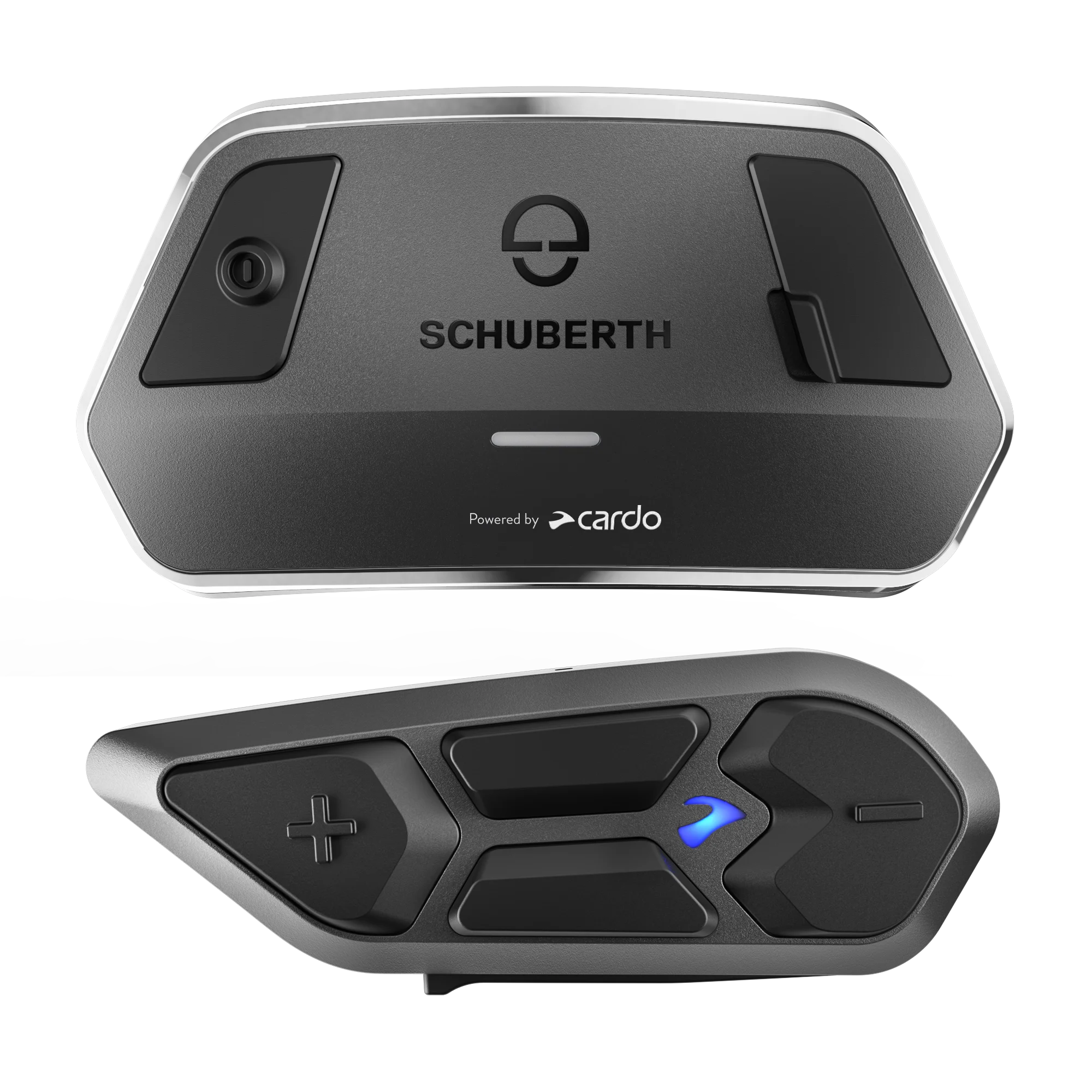
SC EDGE
User guide
Select languageHave questions about Mesh Boost? Click here.
Which helmets are compatible with SC EDGE?
SC EDGE is compatible with the following SCHUBERTH helmets: J2, C5, C5 Carbon, E2, E2 Carbon and S3.
How can I change the language?
In the Cardo connect app, choose the desired language. The unit will update to the latest FW with the desired language
Is the SC EDGE compatible with the SC2?
Yes, verify both devices are up to date. Start Bluetooth intercom pairing on both devices according to their manual and wait for them to pair.
Is it possible to adjust the sound via Equalizer?
To ensure the best sound and audio experience with your device, you can adjust and control through the Cardo Connect App. Simply go to the settings > Audio profiles.
How can I update my unit?
No need for a cable, the Software update is Over the Air, using your mobile phone. Download Cardo Connect app to your mobile phone, go to Settings, select your unit, and then click on the latest available software update. Of course, you can also update the software with a USB cable on your computer. Download and open the Cardo Update app from Cardo website, connect your unit and follow the instructions. Updating with the latest software will keep your unit free of bugs and will provide you with additional new functionalities. We recommend updating your unit before first use.
What is the difference between DMC Gen2 and Gen1?
DMC Gen2 brings significant improvement - simplified and lightning fast pairing process, as well as a crystal clear wideband intercom sound.
- Easier and faster pairing process: The pairing is rapid, lightning-fast, pairing a group of 10 communicators takes no more than a few seconds. We’ve also simplified the process itself by removing the group admin function. With DMC gen 2 pairing has never been so easy and so fast.
- Wideband intercom: DMC gen 2 provides a crystal clear wideband intercom voice second to none. Expect sound quality akin to a good video conferenc
Does the SC EDGE connect to other generation Cardo units (Packtalk, Freecom, G, Q)?
SC EDGE is compatible with all Cardo devices, for DMC devices (PACKTALK units) in DMC mode, and for Bluetooth devices (FREECOM, SPIRIT) in Bluetooth mode. To connect with legacy Cardo devices (G, Q) in Bluetooth mode, the legacy units need to be in phone pairing mode.
What are the advantages of Bluetooth 5.2?
Your unit is equipped with the most advanced Bluetooth 5.2 chip in the market. It enables the integration of the latest audio technologies and improves significantly the quality of the Intercom. Bluetooth 5.2 is also more efficient and more secure, it offers faster pairing capabilities, as well as longer battery life.
Do I need to be connected to cellular when using SC EDGE?
No cellular coverage is needed, your always-on Intercom keeps you connected.
How should I connect my SC EDGE with my bike’s TFT?
The recommended way to setup the connection between your SC-EDGE, TFT and phone is to connect the SC-EDGE to the TFT, and the phone to the TFT. Assuming there are no compatibility issues, the TFT acts as a bridge between the unit and the phone, and it may be possible to manage the phone with the TFT screen (in most cases).
Note: voice commands related to the phone will not be available it this case.
Note: do not pair your phone directly to your SC-EDGE.
For a full step-by-step tutorial, click here. You can skip directly to Scenario 3 which specifically refers to DMC units such as your SC EDGE.
How many devices can I pair via Bluetooth with my SC-EDGE?
SC-EDGE can support Bluetooth pairing with up to 2 devices, such as TFT, mobile phone, or GPS. For example, when you pair your SC-EDGE with your TFT, you will only be able to then connect one more device (GPS/another Bluetooth communicator).
Can SC EDGE or SC EDGE ANC share music with older Cardo DMC devices?
You can share music with any Cardo unit from the same generation: SC EDGE, SC EDGE ANC, PACKTALK PRO, PACKTALK EDGE, PACKTALK NEO, PACKTALK CUSTOM, FREECOM 4X, FREECOM 2X, Spirit HD, and Spirit.
Your unit will not be able to share music with products from previous generations due to the difference in technology between them (previous generations such as: PACKTALK Bold/Black/Slim, PACKTALK, SMARTPACK, SMARTH).
Watch the music sharing video for a deeper understanding.
Is the SC EDGE or SC EDGE ANC compatible with older Cardo DMC devices?
Yes, SC EDGE and SC EDGE ANC are 2nd generation DMC and are fully compatible with all DMC products.
However, when connecting with 1st generation DMC Cardo units expected limitations include:
- Limited number of participants (up to 15 participants)
- Music sharing is not possible between generations
- When creating a DMC group with mixed generation units (Generation 1 and Generation 2), the group creator (the first to enter pairing mode) must be from the newest generation.
- Inviting participants to a DMC group can only be done through standard grouping (in the app or via the buttons), not by a link or QR code.
You can always pair with any Cardo unit using regular Bluetooth pairing.
How do I know which DMC generation my Cardo device uses?
As a general guideline:
| Device | DMC Generation |
|---|---|
| SCHUBERTH SC EDGE and SC EDGE ANC | Gen. 2 |
| Cardo Packtalk PRO | Gen. 2 |
| Cardo Packtalk Neo | Gen. 2 |
| Cardo Packtalk Edge | Gen. 2 |
| Cardo Packtalk Bold / Black | Gen. 1 |
| Cardo Packtalk Slim / SMARTH | Gen. 1 |
| Scala Rider Packtalk / SMARTPACK | Gen. 1 |
Release notes 5.7
We have upgraded your Dynamic Mesh systems with three new enhancements!
- Love to ride in very large groups? Now you can, big time! We’ve extended DMC group size to 31 riders.
- Hate to set up groups? We’ve got you covered. Public Mesh makes it easier to talk spontaneously with any nearby Cardo device within DMC range. Just open Cardo Connect and choose Public Mesh on the intercom screen.
- We understand that not all riders start at the same place when heading for a ride. The new Remote Grouping feature allows you to set up a group from your comfy armchair. Cardo Connect app will share your group invites once you've completed the setup. Once in range, your devices will automatically connect. It’s that simple.
To accommodate these enhancements, we’ve redesigned the intercom screen on your Cardo Connect app. Don’t worry though, it is still intuitive and easy to work with, just a little better now.
Important: This update will delete all existing DMC groups from your device. You will need to re-create your groups after updating your device.
Update is available for 2nd gen DMC devices only (PACKTALK PRO/EDGE/NEO).
Very important: Mesh Boost groups can include legacy DMC units (Packtalk Bold/Slim/Black) with some limitations. Please visit our support page for more details before including legacy units in your group.
Previous release notes
Release notes 4.7
SCHUBERTH SC EDGE is based on Cardo’s top-tier PACKTALK EDGE. It includes features such as second-generation Dynamic Mesh Communication (DMC), Bluetooth 5.2, Natural Voice Operation, over-the-air updates, and a range of up to 1.6 km*.
Supported OS versions:
- Android – Android 10 or later
- iOS – iOS 16 or later