





What Is Cardo Ride?
Cardo Ride is Cardo's motorcycle riding app, built for route planning, ride tracking, community, and post-ride sharing. It runs on iOS and Android and pairs with every unit in the current Cardo hardware range. The app works alongside the Cardo Connect App as the other half of the Cardo ecosystem, where Cardo Connect manages device settings and Cardo Ride manages everything the ride itself produces.
The platform has been running longer than the name suggests. Cardo acquired RISER in 2023 and spent the following years integrating it into the Cardo ecosystem before launching the rebranded app in April 2026. By that point, riders on the platform had tracked over 200 million kilometres collectively, which works out to roughly 130 million miles of real-world roads.
That accumulated data is what powers the route recommendations, Supercurvy Roads feature, and community newsfeed that make Cardo Ride genuinely useful from the first time you open it.
The result is a single platform that covers every phase of a ride. Riders can plan a route the morning before, track the journey with GPS and photos throughout the day, and then recap the highlights in a shareable 3D map once they're back. The planning, the riding, and the sharing all live in the same app, connected to the same community of riders doing the same thing.
What Happened to the RISER App?
RISER is now Cardo Ride, and the transition for existing users is automatic, with profiles, ride history, saved routes, and group memberships all carrying over without any action required. Updating the app is all it takes to find everything exactly where it was left, now under the new name.
What's New in Cardo Ride?
1. An Upgraded Newsfeed
The newsfeed update replaces a general activity stream with an algorithm that prioritises riders and routes within your area. Where the previous version surfaced activity from across the platform without much geographic filtering, the updated feed focuses on what's happening nearby. A popular new road that local riders are logging regularly will surface in your feed before you'd think to search for it, which makes route discovery through the community far more practical than it was before.
2. reWind: Your Ride as a 3D Highlight Reel
After the ride, reWind generates a shareable recap on a 3D map covering the fastest section, the highest point, photo locations, and the overall shape of the route from above. It processes in a few minutes and produces something worth sharing rather than a flat GPS trace that means nothing to anyone who wasn't there. Cardo Ride Pro users get reWind 3.0, which renders the recap as a full 3D video file, ready to post directly to social media or share inside the Cardo Ride community. For riders who want to document routes or share the highlights with a group, it turns the end of a ride into something to look forward to.
3. A Group for All Cardo Riders
Cardo Ride launches with a dedicated community group for all Cardo riders, giving people somewhere to share Supercurvy routes, discuss gear, and connect with others running the same hardware. The group links the hardware community to the app community in a way that makes both more useful. Riding clubs that currently coordinate over scattered group chats and email threads will find the Cardo Ride community gives them a single organised space alongside riders who understand the technology well enough to make the most of it.
4. A Coordinated Link Back to Cardo Connect
Cardo Ride and the Cardo Connect App now operate as a coordinated pair rather than two separate tools. Before a ride, Cardo Connect handles pairing, audio profile configuration, and any settings adjustments the unit needs. When the ride itself begins, Cardo Ride takes over, with the route already loaded and tracking running in the background. Cardo Connect remains the right app for anything device-related, while Cardo Ride covers everything that happens from the moment the bike moves.
What Cardo Ride Does - Explained
Plan: Route Discovery and Navigation
Supercurvy Roads filters specifically for roads that motorcycle riders want to ride, technical and scenic stretches well away from dual carriageways and motorway spurs. Riders can search by region or filter by difficulty, and the round-trip generator builds a loop from any starting location without needing to plan the return leg manually.
Any route can be previewed before committing, shared with the group ahead of the ride, and built collaboratively with other Cardo Ride users in the same planning session. Turn-by-turn navigation then runs through the app during the ride, with audio prompts delivered through the Cardo unit so the phone stays in the pocket.
Ride: Track and Stay Connected
GPS journey recording runs in the background throughout the ride, logging the route and any photos taken along the way. PackRide, which is part of Cardo Ride Pro, adds live group positioning so every rider in the group shows up on the map in real time without anyone needing to call it out over comms.
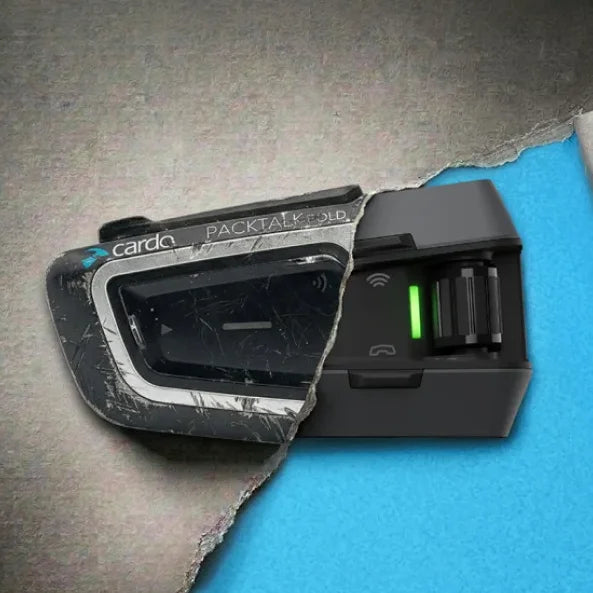
The PACKTALK EDGE or PACKTALK PRO handles voice communication during the ride through 2nd Generation DMC, while Cardo Ride handles the digital layer above it, covering tracking, positioning, and navigation. Natural Voice Operation on the unit passes navigation prompts through the helmet speakers, so riders stay focused on the road rather than the screen.
Share: reWind and Community
At the end of a ride, reWind processes the recorded data into a 3D map recap with the route shape and key moments highlighted. The recap can be shared directly from the app to social media or posted within Cardo Ride's community feed. Routes can also be shared as standalone files, which is useful for recommending a road to someone who wasn't on the ride and wants to know exactly where to go. The community newsfeed collects this activity from local riders and the groups a rider belongs to, making it easier to find new routes through people who've already ridden them rather than building plans from scratch each time.
Cardo Ride Free vs Cardo Ride Pro
The free tier covers the full range of core features, so riders who want tracking, navigation, community access, and standard reWind don't need to pay anything. Cardo Ride Pro adds the tools that matter most for longer journeys, group rides, and detailed ride documentation. A free trial of Pro is available from within the app, and it's worth running before committing, particularly if PackRide or offline maps are the features that would change how the group rides.
|
Feature |
Free |
Pro |
|---|---|---|
|
Ride tracking |
✓ |
✓ |
|
Route planning and navigation |
✓ |
✓ |
|
Community groups and newsfeed |
✓ |
✓ |
|
Sharing (in-app and external) |
✓ |
✓ |
|
reWind (standard) |
✓ |
✓ |
|
reWind 3.0 (3D rendered video) |
✗ |
✓ |
|
PackRide (live group positioning) |
✗ |
✓ |
|
Offline maps |
✗ |
✓ |
|
Live tracking (shareable link) |
✗ |
✓ |
|
Supercurvy Roads |
✗ |
✓ |
|
Satellite maps |
✗ |
✓ |
|
GPX export |
✗ |
✓ |
|
Free trial available |
- |
✓ |
How Cardo Ride Works With Your Cardo Unit
Cardo runs two apps with different jobs. The Cardo Connect App handles everything device-related, covering pairing, audio profile settings, and OTA firmware updates, and it's the right tool to use before the ride to get the unit configured properly. Cardo Ride then takes over for the ride itself, handling navigation, tracking, PackRide group positioning, and the post-ride data, with the two apps designed to hand off between each other without any manual switching required.
On the road, the connection between Cardo Ride and the hardware is direct. Loading a route in Cardo Ride means turn-by-turn navigation prompts come through the PACKTALK EDGE or PACKTALK PRO speakers via Natural Voice Operation, so there's no need to look at the phone or reach for the bars.
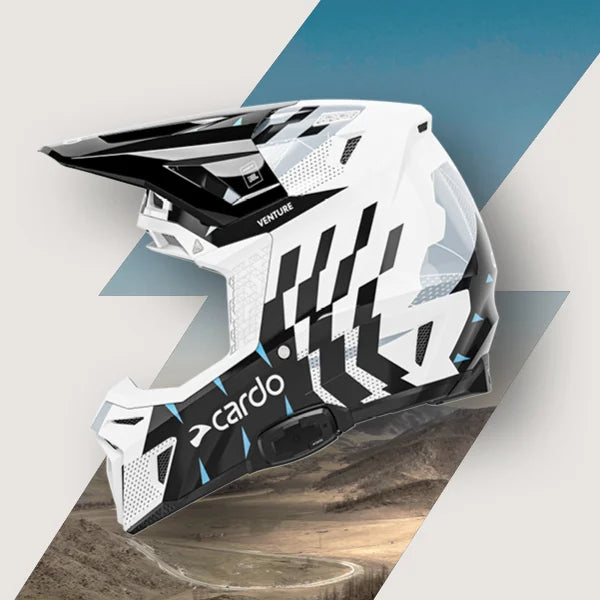
The unit manages voice comms across the group through 2nd Generation DMC mesh while Cardo Ride runs live positioning, tracking, and the data layer underneath. The app works across the full current hardware range, including;
All units can be managed through Cardo Connect for device settings and Cardo Ride handling the ride experience itself.
Get Started With Cardo Ride
Download Cardo Ride at cardoride.com. Riders who haven't yet got a Cardo unit can browse all Cardo motorcycle units or compare models on the product comparison page to find the right hardware for how they ride.
Cardo Ride - FAQs
Is Cardo Ride free?
Yes, with a genuinely functional free tier. Cardo Ride covers ride tracking, route planning, navigation, community groups, and standard reWind without any subscription. Cardo Ride Pro adds offline maps, reWind 3.0, PackRide live group positioning, live tracking, Supercurvy Roads, satellite maps, and GPX export, and a free trial is available from within the app for riders who want to test those features before deciding.
I was using RISER. Do I need to do anything?
No action is needed. The transition from RISER to Cardo Ride is automatic, with profiles, ride history, saved routes, and group memberships all preserved and accessible after a standard app update. The rebrand changed the name and introduced new features; it didn't touch any existing data.
Is Cardo Ride the same as Cardo Connect?
No. Cardo Ride and Cardo Connect are separate apps built for different purposes. Cardo Ride covers the riding experience, handling route planning, GPS tracking, community features, and post-ride sharing.
The Cardo Connect App is for device management, covering pairing, audio settings, and OTA firmware updates. Riders use both, but at different points and for different reasons.
Does Cardo Ride work with all Cardo units?
Yes. Cardo Ride works across the full Cardo hardware range, including the PACKTALK PRO, PACKTALK EDGE, PACKTALK NEO, FREECOM 4X, and PACKTALK EDGE ORV. Device setup, pairing, and settings for each unit are handled through the Cardo Connect App.
Where can I download Cardo Ride?
Cardo Ride is available on iOS and Android. Visit cardoride.com or search "Cardo Ride" in the App Store or Google Play to download it.